Registrations are cleared
Every handset paired to this base will need to be registered again once the reset completes.
Yealink · W60B and W70B
One method needs physical access to the base station. The other works from any registered handset. Both end with a base returned to its out-of-box configuration.
Before you start
Every handset paired to this base will need to be registered again once the reset completes.
SIP account details, network settings, and any provisioning applied to the base are removed.
The handset method asks for the device PIN. The default is 0000 unless it was changed.
Method one
Physical access required. The connect button on the base station is held through a power cycle.
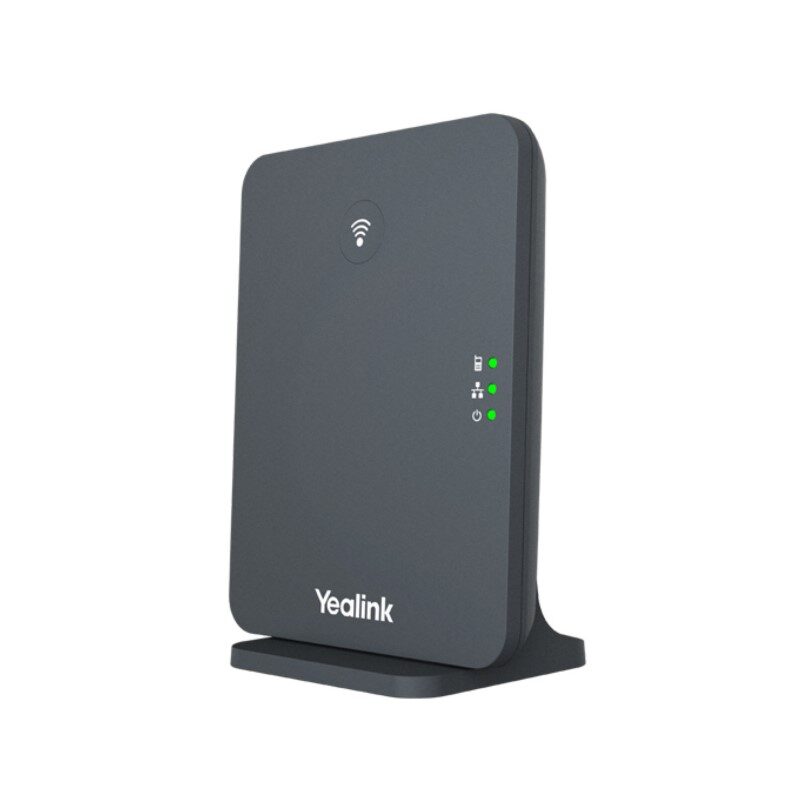
Step 1 of 7keep scrolling to advance
Unplug the power cord from the back of the base. If the base is powered over Ethernet, disconnect the network cable instead.
Give the unit a full fifteen seconds with no power before continuing.
With the unit still unplugged, press and hold the connect button on the base station. Keep holding it through the next step.
Also called the paging button. On some units it is marked with the wi-fi symbol rather than a label.
While still holding the connect button, plug the power back in. If the base is PoE, reconnect the network cable.
Keep holding until all three lights on the unit show as solid green, then release the connect button.
The base is resetting itself. Leave it powered and untouched for about five minutes.
Unplug the unit from power for fifteen seconds, then plug it back in. The reset is complete.
Method two
No physical access needed. Any handset already registered to the base can trigger the reset.
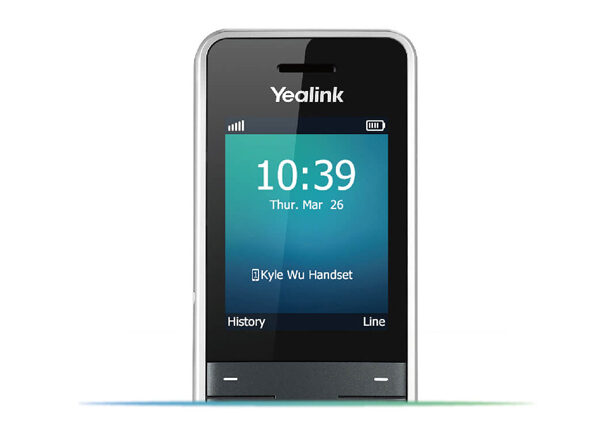
Step 1 of 6keep scrolling to advance
Press the OK button in the middle of the phone to bring up the phone's menu.
Using the directional buttons, navigate to Settings and press OK.
Press 8 on the dial pad, or scroll down with the directional buttons and press OK.
Navigate to Base Reset and press OK.
Enter the PIN for your device. The default is 0000. Press Done.
The base will factory reset. On completion the phone screen displays Success, or wording close to it.
Watch it done
Yealink publishes no reset video of its own; everything below is reseller-made. Each one was verified to cover the procedure, not just carry the right title. Note that all three call it the paging button.
W60B and W70B use an identical reset procedure, so a W60B video applies to a W70B without change.
After the reset
Each handset that was paired to this base must be registered again.
SIP accounts and network settings need to be provisioned or entered again.
Place a test call from a re-registered handset before closing the visit.
Steps sourced from the internal reference Voice — Factory Reset W60B and W70B Base. Device photographs are Yealink product images; the callout markers over them are ours.